
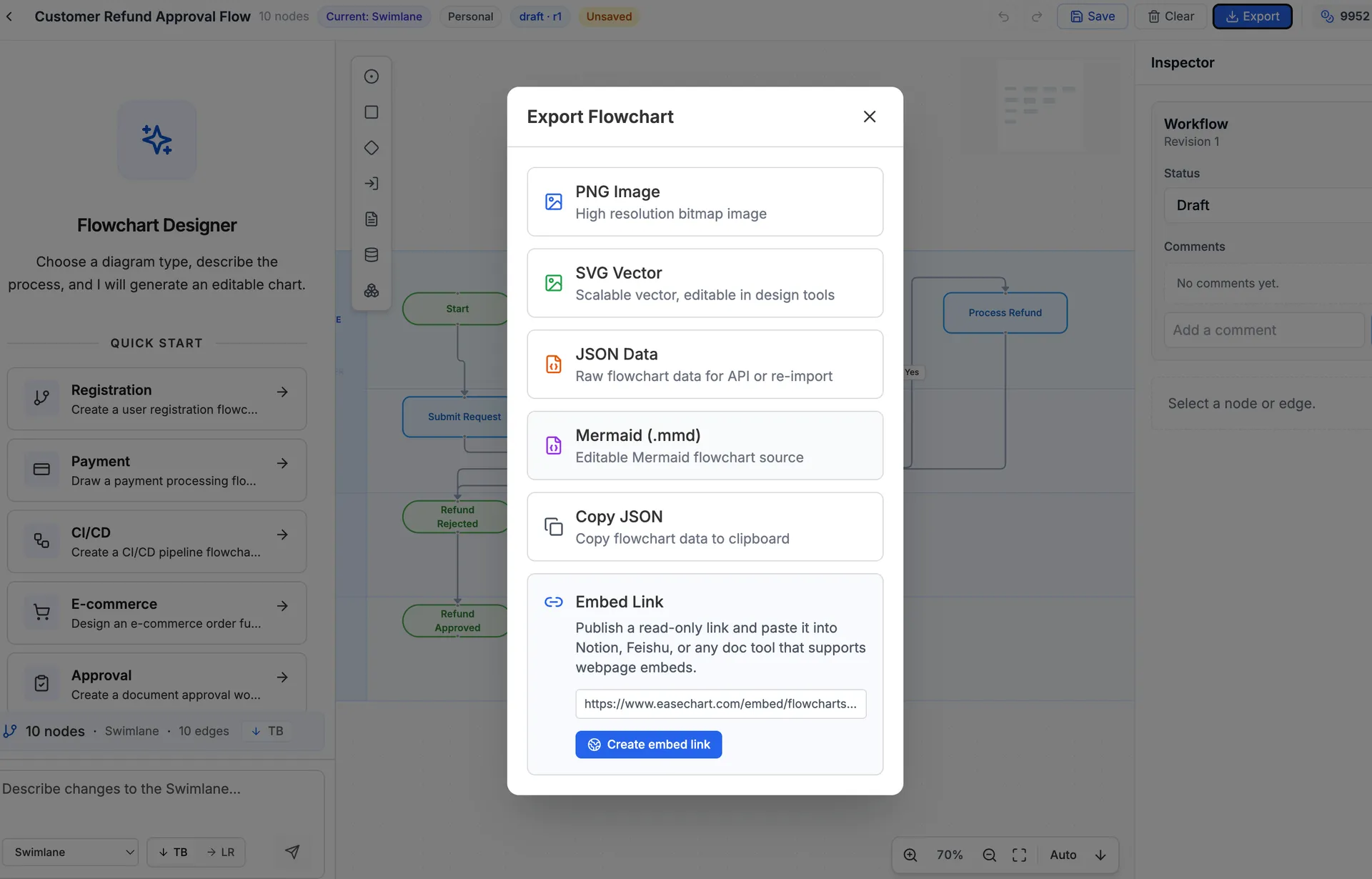
Now, flowcharts created in EaseChart can be embedded directly into Notion, Feishu, and other popular online document tools.
1. Click Export
After creating your flowchart, click the export button. A popup window will appear.
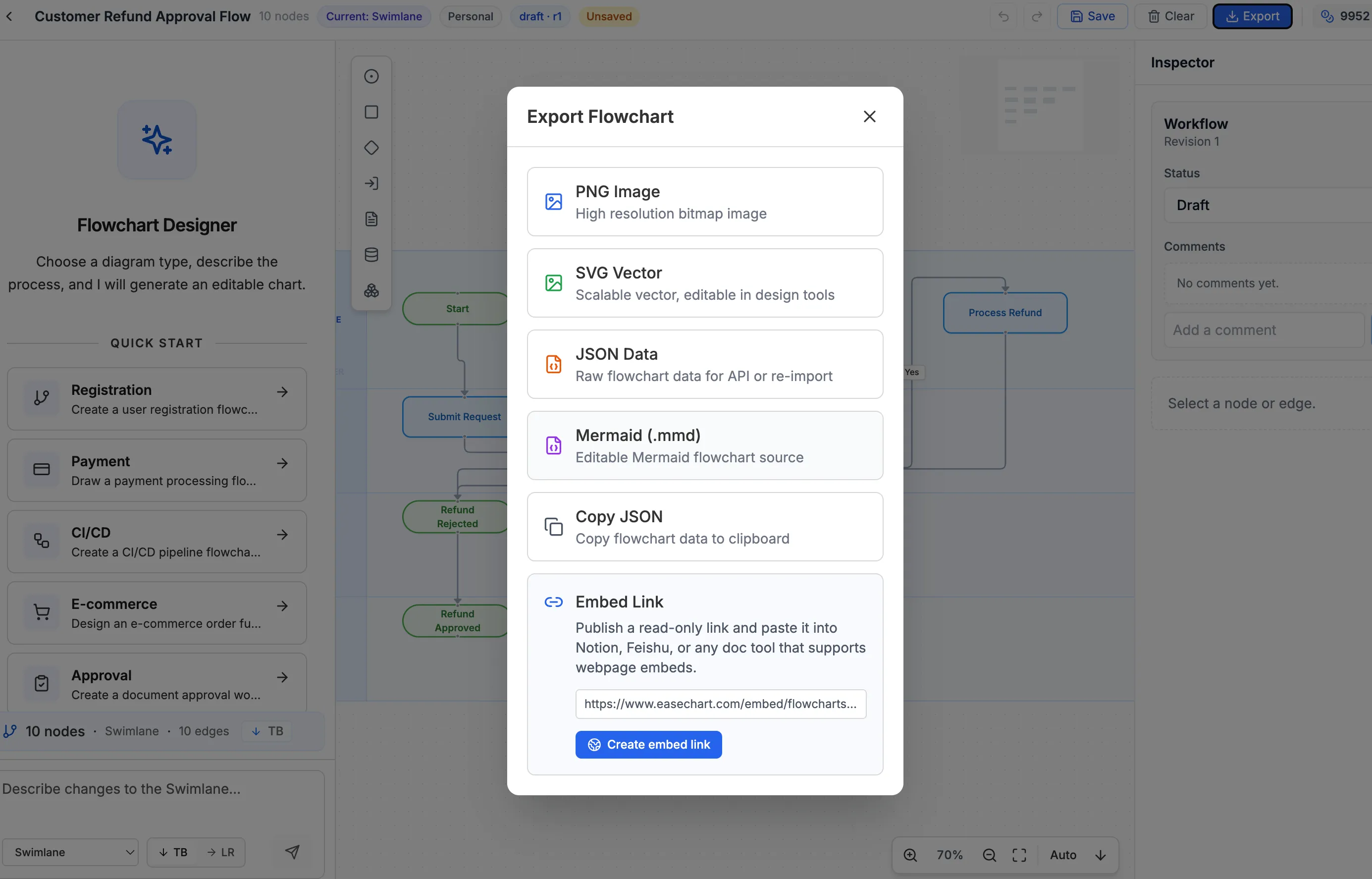
2. Generate the Link
At the bottom of the popup, find “Embed Link” and click “Generate Embed Link.”
3. Copy the Link to Your Online Document
Once generated, copy the link and paste it into your online document. It works with Notion, Feishu, and more.
独立产品人日记
Notes on indie products, AI tools, growth, and engineering.
Related Articles

How to Create an AI Agent-Friendly Project
Four practical ways to make a software project easier for AI agents to understand and modify: structure, naming, directory depth, and project conventions in AGENTS.md.
Codex + Astro: The Best Combo for Creating and Publishing Content
Generate text, images, video, and 3D content with Codex, then publish instantly to the web with Astro. This is the most efficient content creation and publishing workflow for the AI era.
EaseChart: How to Import, Edit, and Export Mermaid Flowcharts
Mermaid (.mmd) is a universal text-based format for describing flowcharts and diagrams. This post shows how to import .mmd files into EaseChart for visual editing, and export your flowcharts as Mermaid format for seamless interoperability.