
This is a great time to be making content.
AI models and AI agents let you create just about anything — text, images, video, 3D. Whatever format you need, it’s available.
But here’s the thing most people overlook: creating content is only half the battle. Publishing it is the other half, and it’s often the more painful one.
If you’ve ever tried moving a piece of content with text, images, and video from your editor to a live website, you know exactly how many steps can go wrong.
That’s why an AI-agent-friendly publishing workflow matters more than most people realize.
Codex: The All-in-One Content Factory
Codex isn’t a single AI model — it’s a way of working with AI agents to get things done. From brainstorming to finished content, it handles the full pipeline.
Text? Give Codex a topic, and it’ll write a full article, social media copy, or product description.
Images? Same thing. Combined with different AI models, Codex can generate high-quality illustrations, infographics, or even batch-produce image assets.
Video and 3D? The bar is higher, but Codex can orchestrate the right tools to generate those too.
Each format has its own channel. Text drives SEO and deep reads. Images work on Xiaohongshu and Instagram. Video lives on TikTok and YouTube. 3D shines in e-commerce demos and interactive experiences.
The real question is: where do you put all this content?
Astro: The AI-Friendly Publishing Engine
Astro is a web framework, but it’s fundamentally different from Next.js or WordPress.
The core idea is simple: write Markdown files, and Astro turns them into web pages.
Why does this matter? Because an AI agent can write files directly into your Astro project, and Astro automatically turns them into published pages. No database, no admin panel, no manual copy-pasting.
Here’s what makes Astro a perfect fit for AI-era publishing:
First, native Markdown support. Drop a file into src/content/, and Astro handles the rest.
Second, file-based routing. The file path is the URL path. For an AI, this is the most natural way to create pages — no routing config needed.
Third, static generation by default. Astro outputs static HTML — fast, SEO-friendly, and easy to deploy. Put it on Vercel, Netlify, or Cloudflare Pages, and you’re live.
Compare that to WordPress: log in, create a new post, paste content, tweak formatting, hit publish. Or Next.js: more powerful, but more configuration overhead. Astro has the shortest path from file to published page.
Why Codex + Astro Works
Put the two together, and the combination is powerful.
You use Codex (or Claude Code) to generate content, and the AI writes Markdown files directly into src/content/blog/ in your Astro project. No human hands needed, no editor to open.
The workflow looks like this:
You have an idea → tell Codex → Codex generates text and images → writes to the Astro directory → Astro builds into static pages → live
Going from “I have an idea” to “content is online” takes just a few prompts.
I worked on a project this way. Had Codex write a batch of product description pages, generate them straight into the Astro project, and publish them in one go. The efficiency gain compared to manually pasting into WordPress was massive.
Summary
In the AI era, creating content is no longer the hard part.
The hard part is the full chain from idea to published page. Codex solves the “creating” side. Astro solves the “publishing” side. Together, they’re the smoothest content workflow I’ve found.
Tools are evolving. Your workflow should evolve with them. Don’t use old methods for new opportunities.
独立产品人日记
Notes on indie products, AI tools, growth, and engineering.
Related Articles

How to Create an AI Agent-Friendly Project
Four practical ways to make a software project easier for AI agents to understand and modify: structure, naming, directory depth, and project conventions in AGENTS.md.
EaseChart: How to Embed AI-Generated Flowcharts into Notion
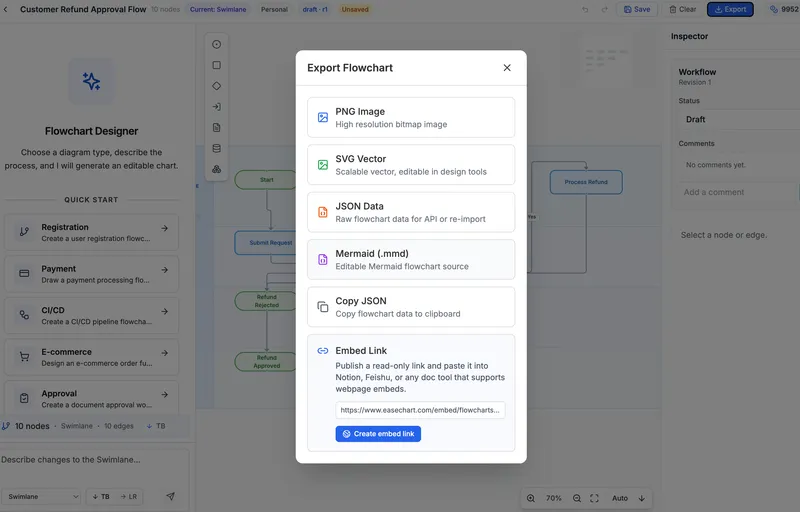
After creating a flowchart in EaseChart, you can generate an embed link and insert it directly into Notion, Feishu, and other popular online document tools.
EaseChart: How to Import, Edit, and Export Mermaid Flowcharts
Mermaid (.mmd) is a universal text-based format for describing flowcharts and diagrams. This post shows how to import .mmd files into EaseChart for visual editing, and export your flowcharts as Mermaid format for seamless interoperability.